


EF Traveler
3.259.00 Reviews
App Specs
- Version
- 1.27.1
- Updated On
- License
- Free
- Downloads
- 100,000+
- Developer
- Signum International AG
- Categories
- Travel & Local
- Platform
- Android
Screenshots
 Analysis by AppCompare
For an EF group trip, the hardest part of using a travel app may not be finding a button; it may be knowing whether the information is meant for your group and what you should do next. That distinction matters for readability and access. EF Traveler is a free travel app from Signum International AG, intended for EF group leaders and travelers, so I would approach it as a trip-specific companion rather than a general-purpose city guide. Its focus can be useful when you are coordinating around a shared itinerary, but it is less compelling if you simply want to plan an independent holiday from scratch.
Reading the trip at a glance
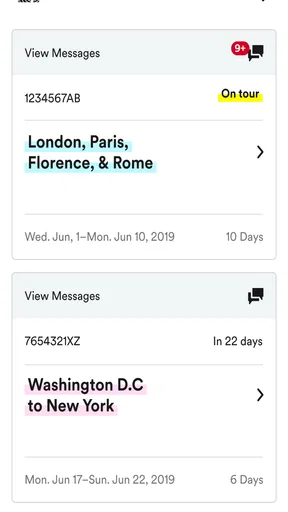
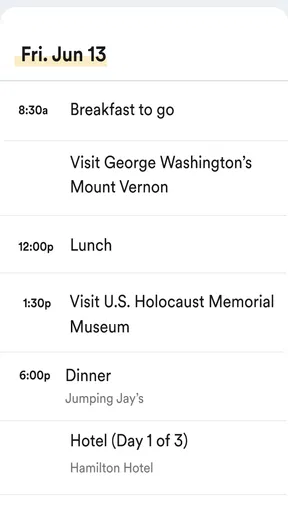
When I judge a travel app’s navigation, I look for how easily it lets someone orient themselves while tired, carrying bags, or trying to keep up with a group. EF Traveler’s purpose gives it a narrower job than a broad travel search app: it is there to support people connected to an EF trip. That focus can reduce the mental work of switching between unrelated travel tools, provided the trip information you need is available in the app and presented clearly.
I would still treat the phone as a companion, not as the only place to keep essential plans. Before leaving a hotel or meeting point, it is sensible to check the next destination and make sure you can identify it without rushing. A group leader can also help travelers who are unsure where to look, rather than assuming everyone has found the same screen. This small habit is especially helpful when a group is moving through a busy station or public space.
Different bodies, different travel conditions
Travel puts unusual demands on hands, eyes, and attention. A traveler might be holding a suitcase, navigating in bright sunlight, or trying to read a screen while walking. I would avoid relying on any phone app while moving through a crowded area; stop somewhere safe, get oriented, then continue. For someone with limited dexterity, a mobility condition, low vision, or sensory sensitivity, the practical question is whether the relevant information can be accessed comfortably and with enough time. A companion or group leader can be part of the plan, but should not have to replace clear, usable information.
That makes a short pre-trip check worthwhile: open the app at home, explore the parts you expect to use, and note anything that is difficult to read or operate. If you use device-level text or display settings, see whether they make the screens more comfortable before you depend on them on the road. I would also keep important meeting details in a form you can reach quickly, such as a personal note, so a small screen or a moment of confusion does not leave you stranded.
Useful when the day does not go to plan
A group travel app is most valuable when the day is busy rather than when everything is already going smoothly. Picture arriving at a crowded station after a long journey: one traveler is checking the group’s next step, another needs a quiet moment, and the leader is trying to bring everyone together. In that situation, a single shared point of reference can be easier than relying on scattered messages. I would check the app before moving away from the group, then confirm an uncertain instruction with the leader instead of guessing from a partial screen.
The audience also shapes who is likely to benefit. EF travelers and leaders who want trip-related guidance in one place are the natural fit. Independent travelers looking for flexible hotel comparisons, broad restaurant discovery, or a map they can use for any destination may be better served by established mapping and booking apps. I would use those tools alongside EF Traveler when needed rather than expecting one app to cover every travel task.
Worth Reading Before You Choose

EA SPORTS FC Mobile 26 Is a Bigger Football Game, but It Takes Time

Flipboard Shows What News Apps Must Do Beyond the Feed

Switching to Android Auto Means Rethinking Your Driving Routine

Google Calendar Makes a Crowded Week Easier to Manage

Ludo King Makes the Most of the Minutes Between Plans

Baby Panda World Brings Quick Play to Modern Phones, but Its Game Library Feels Busy
Getting Started with EF Traveler
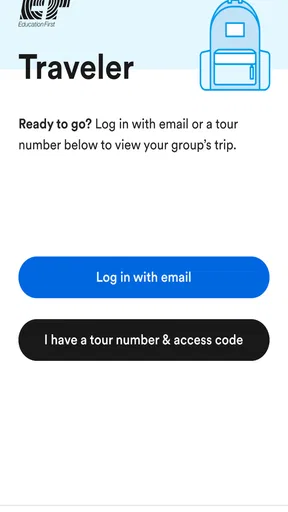
Installing EF Traveler is a breeze. Available on both Android and iOS, you can download it from the Google Play Store or Apple’s App Store. Once installed, the app greets you with a sleek and user-friendly interface. You can sign up using your email or simply connect with your social media accounts for a quicker start.
Exploring Features
As soon as you dive in, you’re met with a variety of features designed to make travel planning as smooth as silk. The app offers personalized travel itineraries, which are a game-changer if you ask me. It suggests activities based on your interests, so whether you're into art, history, or gastronomy, EF Traveler has got you covered.
Another cool feature is the real-time language translation. Gone are the days of awkward hand gestures and mispronunciations. With the app’s translation tool, you can communicate like a pro. Just type or speak into the app, and it’ll translate your words instantly. Trust me, this feature alone makes the app worth a download.
Navigation and Local Insights
One of my favorite aspects of EF Traveler is its detailed maps and offline navigation. Sometimes, when you're in a new place, Wi-Fi can be as elusive as a unicorn. But fear not, this app has offline maps that ensure you won’t ever find yourself lost in a foreign land.
The app also provides local insights, which is like having a friend who knows all the best spots. From hidden cafes to must-visit attractions, it gives you recommendations that are off the beaten path. This is especially useful if you want to avoid tourist traps and experience the authentic vibe of a place.
When another travel tool makes more sense
It is useful to separate trip coordination from open-ended travel research. EF Traveler’s strongest role, as I see it, is helping an EF group member stay oriented within the shared trip. A map service is usually the more flexible choice for finding a route across a city or comparing ways to reach an address. A booking app is more suitable when you are independently choosing where to stay or how to get there. Keeping those jobs separate avoids a common frustration: searching a group companion for options it was not designed to provide.
One practical workflow is to check group-specific plans before the day begins, then use a mapping app for street-level directions if you need them. If an instruction appears unclear, ask the leader before acting on an assumption. This is a small but important trade-off: a dedicated group tool can reduce scattered coordination, but it does not remove the need to confirm changes with the people responsible for the trip.
Travelers may also wonder whether they can depend on the app without a reliable connection. The offline-navigation claim in the original app experience is attractive for places with patchy service, but I would prepare before leaving Wi-Fi rather than waiting until the street to test it. Open the relevant information in advance and keep key meeting details somewhere accessible. Offline access is most helpful when it has already been checked, not when you discover a connectivity problem at the exact moment you need guidance.
Planning for access before departure
For travelers with visual, hearing, motor, or cognitive access needs, preparation can make the difference between a useful companion and another source of pressure. I would review the app in a calm setting, identify which information matters most on a travel day, and decide how to get it if the screen is hard to use. A travel partner or group leader can agree on a simple fallback, such as where to meet if someone cannot follow an update. That is not a substitute for accessible design; it is a practical way to avoid making a phone the only route to essential instructions.
There is also a sensory trade-off in group travel: frequent checking can help someone feel informed, but constant alerts and screen use can become tiring. I would use the app at natural pauses—before leaving, at a stop, or while waiting—rather than trying to monitor it continuously while walking. If someone needs more time to process directions, sharing the plan in advance is kinder and safer than expecting them to catch up in a crowded place.
The Android app is listed as suitable for Everyone and has a 3.2 average from around 131 ratings, so I would keep expectations measured rather than assuming every traveler will find it effortless. It has passed 100,000 installs, and version 1.27.1 is listed for Android 7.0 and later. Those details help with basic compatibility decisions, but a rating cannot tell you whether the interface will work well for your particular needs. I would test it on the device you plan to bring and keep a non-app backup for information you cannot afford to miss.
Safety and Convenience
Traveling can be daunting, but EF Traveler adds layers of safety and convenience. The app includes emergency contacts and safety tips tailored to your destination. It’s like having a travel guide and security advisor in your pocket, reassuring you every step of the way.
Booking accommodations and flights is also a breeze. The app connects you with various booking platforms, allowing you to compare prices and snag the best deals. It even sends you reminders and updates about your bookings, so you’ll never miss a flight or check-in.
What I would check before relying on it
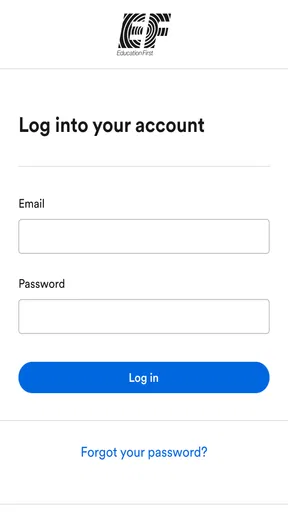
Before a trip, I would install the app, sign in, and confirm that I can reach the information relevant to my group. I would then check whether the device is comfortable to use with the display settings and input methods I normally rely on. If you are helping a family member or traveler who may need assistance, try the same steps together while there is time to ask questions. That short rehearsal is more useful than discovering a confusing screen when the group is already moving.
It is also worth thinking through what happens if a phone runs low on battery, loses service, or is difficult to use in a crowded setting. Keep a brief note of essential meeting details and know whom to ask for help. This does not diminish the app’s usefulness; it acknowledges that travel depends on people, devices, and changing circumstances. For a group leader, making the plan easy to repeat aloud can help travelers who are not looking at a screen at that moment.
EF Traveler is not the right choice as a standalone solution for every visitor. If you are not part of an EF group, its intended audience may not match your needs. If you want to build a highly flexible independent itinerary, compare restaurants across a wide area, or manage every reservation yourself, general travel services are likely a better starting point. The sensible choice is to use this app for the EF trip context and turn to other tools for tasks that need broader coverage.
The Verdict
After spending some quality time with EF Traveler, it’s clear that this app is a must-have for any globetrotter. It combines practicality with a sprinkle of local flair, turning every trip into a seamless adventure. Whether you’re a seasoned traveler or a first-time explorer, this app is like having a personal travel assistant who handles the nitty-gritty details, leaving you to enjoy the journey.
In a world where travel apps are as plentiful as travel destinations, EF Traveler stands out by offering a comprehensive, user-friendly experience that won’t let you down. So, if you're planning your next adventure, give EF Traveler a try. You might just find that it becomes your go-to companion for all future travels.
A measured recommendation for group travelers
I would recommend EF Traveler most readily to someone already taking part in an EF group trip, especially a traveler who prefers having trip-related guidance gathered in one place. It may also help a leader keep the group oriented, as long as digital instructions are paired with clear verbal communication and a backup plan. For someone who is traveling independently, the app’s audience is a meaningful limitation rather than a minor detail.
My overall advice is to treat it as one part of a travel routine: check plans ahead of time, use it when it helps you stay connected to the group, and do not rely on any phone screen as the only source for urgent directions. That approach suits travelers with different levels of confidence and different access needs. EF Traveler can be a useful companion in its intended setting, but the best experience comes when the group makes information easy to reach for everyone, not only for the person holding the phone.
Pros
- Intuitive user interface design.
- Comprehensive travel guides included.
- Real-time language translation feature.
- Offline access to essential features.
- Integrated currency converter tool.
Cons
- Limited offline map functionality.
- Occasional lag in language translation.
- Subscription required for premium features.
- Heavy on battery usage during navigation.
- Requires stable internet for updates.
FAQs for EF Traveler
What is EF Traveler and how does it work?
EF Traveler is a comprehensive travel app designed to assist users in planning and managing their trips more efficiently. It offers features such as itinerary creation, flight and hotel booking, and local attraction suggestions. Users can also find language guides and cultural tips to enhance their travel experience. The app integrates with your calendar for seamless scheduling.
Does EF Traveler require an internet connection to function?
While some features of EF Traveler, such as real-time flight updates and booking capabilities, require an internet connection, the app also offers offline access. Users can download maps, itineraries, and language guides to use without connectivity, making it ideal for international travel where internet access may be limited.
Is EF Traveler available for both Android and iOS devices?
Yes, EF Traveler is designed to be compatible with both Android and iOS platforms. Users can download the app from the Google Play Store for Android devices or the Apple App Store for iOS devices. This cross-platform availability ensures that a wide range of travelers can benefit from its features.
Are there any costs associated with using EF Traveler?
EF Traveler offers a free version with basic features, but users can opt for a premium subscription to unlock advanced functionalities. The premium version includes exclusive access to personalized travel insights, priority booking support, and ad-free usage. Pricing details can be found within the app's subscription section.
How secure is my personal information on EF Traveler?
EF Traveler takes user privacy seriously and employs robust security measures to protect personal information. The app uses encryption to safeguard data and complies with international data protection regulations. Users can manage privacy settings within the app to control what information is shared.


